Blog · Customer service
What is an AI customer service agent, and who needs one?
· 6 min read
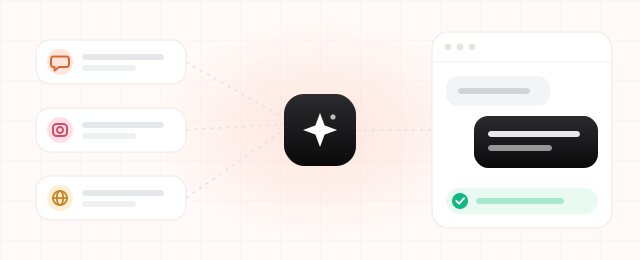
Picture the support team at an online shop. Most of the day's messages are variations on three questions: "Where's my order?", "How do I return this?" and "Can you resend my invoice?" They arrive on WhatsApp, Instagram, the contact form and email. Someone checks each inbox, looks the order up in the back office and types a reply. Anything that lands after 6 pm waits until the next morning.
An AI customer service agent exists to take over that repetitive part of the job.
What is an AI customer service agent?
It is an AI system that reads a customer's message, looks up what it needs in your own systems and then answers, or starts the right process. It works the way a good support rep does. The difference is that it answers in seconds, at 3 am as readily as at 3 pm.
How is it different from a chatbot?
- It understands free text. Older chatbots run on menus: press 1 for orders, 2 for returns. An agent reads the customer's own words and works out that "the shoes I got yesterday are too small" means a return or an exchange.
- It checks your systems. Instead of canned answers, it pulls the live order, shipping or booking status.
- It takes action. Beyond answering, it can open a return, book an appointment or update a record.
- It knows when to hand over. Anything sensitive or out of scope goes to a person, with a summary of the conversation, so the customer never has to explain twice.
A worked example
Say a customer sends this on WhatsApp:
Customer: "My order arrived damaged, I'd like to return it."
- Reads the request: a return for a damaged item.
- Finds the order: matches the phone number to order #5530, marked as delivered.
- Opens the return: creates it under your returns policy and gets a shipping code.
- Drafts the reply: "We're sorry about this. We've opened a return for you; your shipping code is 7F2K9…" If you prefer, the reply waits for one-click approval from your team before it goes out.
The whole flow takes a few seconds. Your team's only job, if you want one, is to approve.
Which companies need one?
Not every business does. You will probably get value from an agent if several of these sound familiar:
- Most incoming questions look alike: order status, shipping, returns, invoices, bookings.
- Messages come in through more than one channel and someone tracks each separately.
- Evening and weekend messages sit unanswered until the next working day.
- Answering means checking an order panel, an ERP or a booking calendar.
- The business is growing, but you would rather not grow the support team at the same pace.
We see this most in e-commerce, logistics, clinics, insurance agencies and subscription businesses. For clinics, our clinic appointment agent article walks through a booking-specific example.
What to hand over, and what to keep
An agent doesn't have to do everything. Decide early which work it owns and which stays with your team.
Good fits for the agent
- Order and shipping status
- Starting a return or exchange
- Booking, moving and reminding about appointments
- Answering frequently asked questions
- Sorting a request and collecting the details your team will need
Keep with people
- Angry or sensitive complaints
- Exceptions outside your policy, such as a return after the deadline
- Anything that needs medical, legal or financial advice
A well-built agent recognises the second group and passes it on.
A simple calculation: what does it save?
You can estimate the time saved with your own numbers:
Hours saved per month = messages per month × minutes per message × share handled by the agent ÷ 60
Example figures: a team gets 3,000 messages a month and spends about 4 minutes on each. If the agent handles half of them: 3,000 × 4 × 0.5 ÷ 60 = 100 hours a month, roughly a part-time employee's monthly hours.
Your numbers will differ. Start by pulling your real monthly message count and the average handling time. The formula also leaves out something harder to price: answering a 2 am message right away instead of the next morning.
What to get right when setting one up
- Connect it to your systems. Without access to orders, shipping or bookings, an agent can only give generic answers. The value comes from that connection.
- Start in draft mode. For the first weeks, let the agent prepare replies and your team approve them. Widen what it may send on its own as trust builds.
- Match your brand's voice. Write down how it should address customers and what it must never say.
- Mind data protection. Be clear about where customer data is processed and stored, and make sure your privacy notice covers it (GDPR in the EU, KVKK in Türkiye).
- Measure it. Track how many messages it resolves, how many it hands over and how fast customers get an answer.
How to start
- Pick one job. Choose the question type you get most, for example order and shipping status.
- Test on real data. Set up a first version within a few weeks and try it with your team.
- Expand from there. Once the first job runs smoothly, add returns, bookings and so on.
If most of your workload arrives by email rather than chat, our email agent article may be a better starting point.
Let's build your customer service agent
AutoAgenticly builds customer service agents connected to your own systems. On a short discovery call we'll look at which questions an agent could take over.