Blog · Clinics
Clinic appointment automation: how an AI booking agent works
· 6 min read
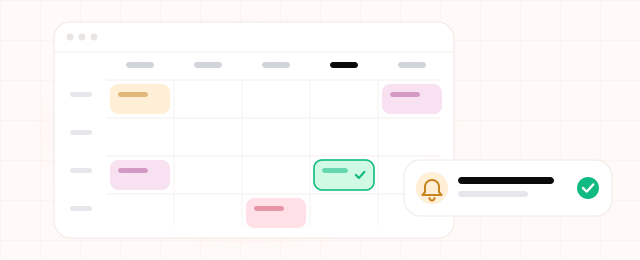
It's 8:55 on a Monday at a dental practice. The phone is ringing, two patients are waiting to check in, and the weekend's WhatsApp messages are still unread: a cancellation, a few reschedules, a new patient, and someone asking whether the swelling after Friday's extraction is normal. Each one means hunting for a gap in the calendar, then updating the booking once the patient writes back. Clinic appointment automation can take this work off the front desk, as long as the AI agent doing it has firm limits.
What does an AI appointment booking agent actually do?
A clinic appointment agent reads booking, rescheduling and cancellation requests from WhatsApp, your web form and email. It works out what the patient wants, looks up open slots in your scheduling software, and drafts a reply. Nothing goes to the patient until someone at the front desk approves it. Once a slot is confirmed, the agent updates the calendar and schedules a reminder.
If you've read our piece on the customer service agent, the design will look familiar. In a clinic, though, what the agent must refuse to do matters more than what it can do.
One rescheduling request, start to finish
Say this arrives on WhatsApp at 10:40 on a Tuesday night:
Patient: "Hi, I have physio on Thursday at 10:30 but I can't get away from work that day. Is there anything next week?"
- Reads the intent. A reschedule, not a cancellation, and the patient wants next week.
- Finds the booking. It matches the phone number to a patient record and the record to Thursday's session. If the number belongs to several patients, it asks who the message is about.
- Checks the calendar. It looks for gaps next week with the same physiotherapist that fit the session length. Say Monday at 5:15 pm and Wednesday at 9:00 am are free.
- Drafts the reply. "We can move Thursday's session. Next week we have Monday at 5:15 pm or Wednesday at 9:00 am. Which suits you better?"
- Gets approval. At 8:45 the next morning the receptionist checks the draft and sends it. When the patient picks Monday, the agent books it, releases Thursday, drafts the confirmation and schedules a reminder.
The reply is ready when the clinic opens, and Thursday's slot is free for someone on your waiting list.
Where the agent stops
Plenty of messages to a clinic aren't about bookings. These always stay with people:
- Medical questions. "Can I take ibuprofen before my appointment?" or "Is this much swelling normal?" The agent gives no medical advice and does not guess. It forwards the message to the right clinician or nurse and tells the patient it has been passed on.
- Urgent symptoms. If a message mentions severe pain, heavy bleeding, or trouble breathing, the agent does not offer a slot. It sends a fixed, pre-approved message telling the patient to call the clinic now, or the local emergency number in an emergency, and flags the conversation for staff.
- Complaints. A patient unhappy with a treatment, a bill or a long wait should hear from a person, so the agent routes these to the complaints contact.
When the agent isn't sure which group a message falls into, it hands the message to a human.
Health data, GDPR and KVKK
Booking at a fertility clinic already says something about a person's health. Health data is special category data under GDPR Article 9, and Turkey's KVKK (Article 6) also treats it as a special category. For the setup, that means:
- Collect only what booking needs: name, contact details, the clinician or service, preferred times. Symptom descriptions stay out of the booking record.
- Tell patients. Your privacy notice should explain that an AI system handles messages, where it runs and how long data is kept.
- Get it reviewed. Ask your data protection officer or legal adviser to check the data flow, hosting location, access rights and lawful basis before go-live. This article is not legal advice.
Is it a good fit for your practice?
An agent usually earns its keep when several of these apply:
- You run a dental, physio, aesthetic or multi-specialty clinic where appointments move often.
- Requests are spread across WhatsApp, a web form and email.
- Evening and weekend messages pile up for the next working day.
- Your scheduling software can be connected through an API or an integration.
For a solo practitioner with a handful of patients a day, setup probably costs more time than it saves. A paper diary has to move to software first. And if most patients phone rather than write, an agent on written channels solves only a small part of the problem.
Work out the time with your own numbers
Net hours saved per week = (booking messages per week × minutes per message × share the agent drafts ÷ 60) − approval time
Example figures only: 250 booking messages a week, 5 minutes each, the agent drafting 60% of them. 250 × 5 × 0.6 ÷ 60 = 12.5 hours. Approving 150 drafts at about a minute each takes 2.5 hours. Net: roughly 10 hours a week.
For your own figures, count a week of booking messages by channel and time a few. Any effect of reminders on missed appointments is left out; track that separately rather than assuming a number.
Setup checklist
- Write down the booking rules: length per treatment, clinicians' working days, buffer times, cancellation cutoff.
- Ask your software vendor whether the scheduling system has an API or integration.
- Decide the routing: who gets medical questions and complaints, and the exact wording of the urgent-case message.
- Plan the reminders: timing and content.
- Review the privacy notice and data flow with your data protection adviser.
- Start in draft mode. For the first few weeks every reply goes through the front desk; note which drafts needed edits.
- Measure requests received, drafts sent unchanged and messages handed to staff.
If the clinic inbox is also full of supplier and admin email, the email agent covers that side. The clinic example sits next to the other agents we build in our solutions.
Let's set up your clinic's booking agent
In a short discovery call we'll look at which booking requests at your practice an agent could draft, and what should stay with your front desk.